

How to set up a custom password on PRO4 and PRO5 (Desktop Only)
Modified on: Thu, 26 Mar, 2026 at 14:05
To set up a custom password, follow these steps:
1. Log in to your trading account.
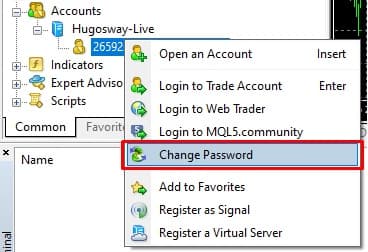
2. In the "Navigator" tab, right-click on your account ID and select "Change Password."
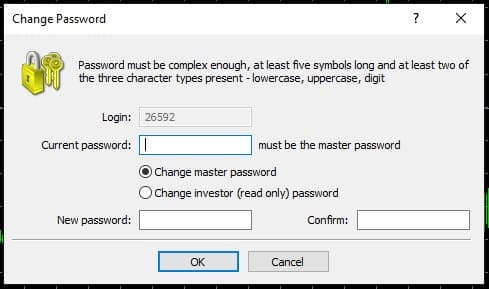
3. Enter your current password, then input your new password and confirm it in the designated fields. Finally, click "OK" to save your changes.