


Deposits
We offer the option to deposit funds using a Bank Wire Transfer, with Bitcoin through Instacoins.
To deposit funds using this option, simply log into your Hugo's Way account, select the ‘Deposit Funds’ option from your user dashboard, and choose as per below:

In the second drop-down menu, choose the currency wallet you would like the funds deposited into, enter the desired amount, and click 'Deposit.'
You will receive a message to be redirected to Instacoins website.
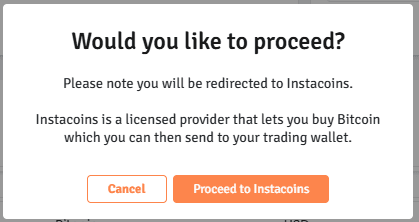
Upon signing up and completing a purchase with Instacoins you will be able to transfer the funds directly to your Hugo’s Way account.Note: After the funds are sent from your Instacoins account, the transaction will require 3-6 confirmations on the blockchain, which typically takes between 1 to 6 hours.
Please also make sure that you have tracked your deposit on the Blockchain by visiting www.blockchain.com to search for the transaction itself.
We are always happy to help, however, if a transaction is pending on the Blockchain awaiting confirmation, we would not be able to have any control over this process.
Minimum
- · Bitcoin: $10
- · Ethereum, SOL, USDT, USDC & Tokens: $5
Maximum
- · Bitcoin: Unlimited
- · Ethereum, SOL, USDT, USDC & Tokens: No limit

We are constantly adding new funding sources. The current methods available are the following:
- Bitcoin
- Bitcoin via Instacoins (Wire)
- Ethereum, SOL, USDT, USDC & Tokens
Bitcoin/ Bitcoin via Instacoins
- Depositing directly through Bitcoin or Bitcoin via Instacoins may take up to 1-6 hours depending on the Blockchain. Currently, 3-6 confirmations are needed. (www.blockchain.com)
- Deposits on ETH (12 confirmations), Solana (12 confirmations), and TRON (19 confirmations) are processed automatically and are usually credited to your account within minutes once the required network confirmations are received
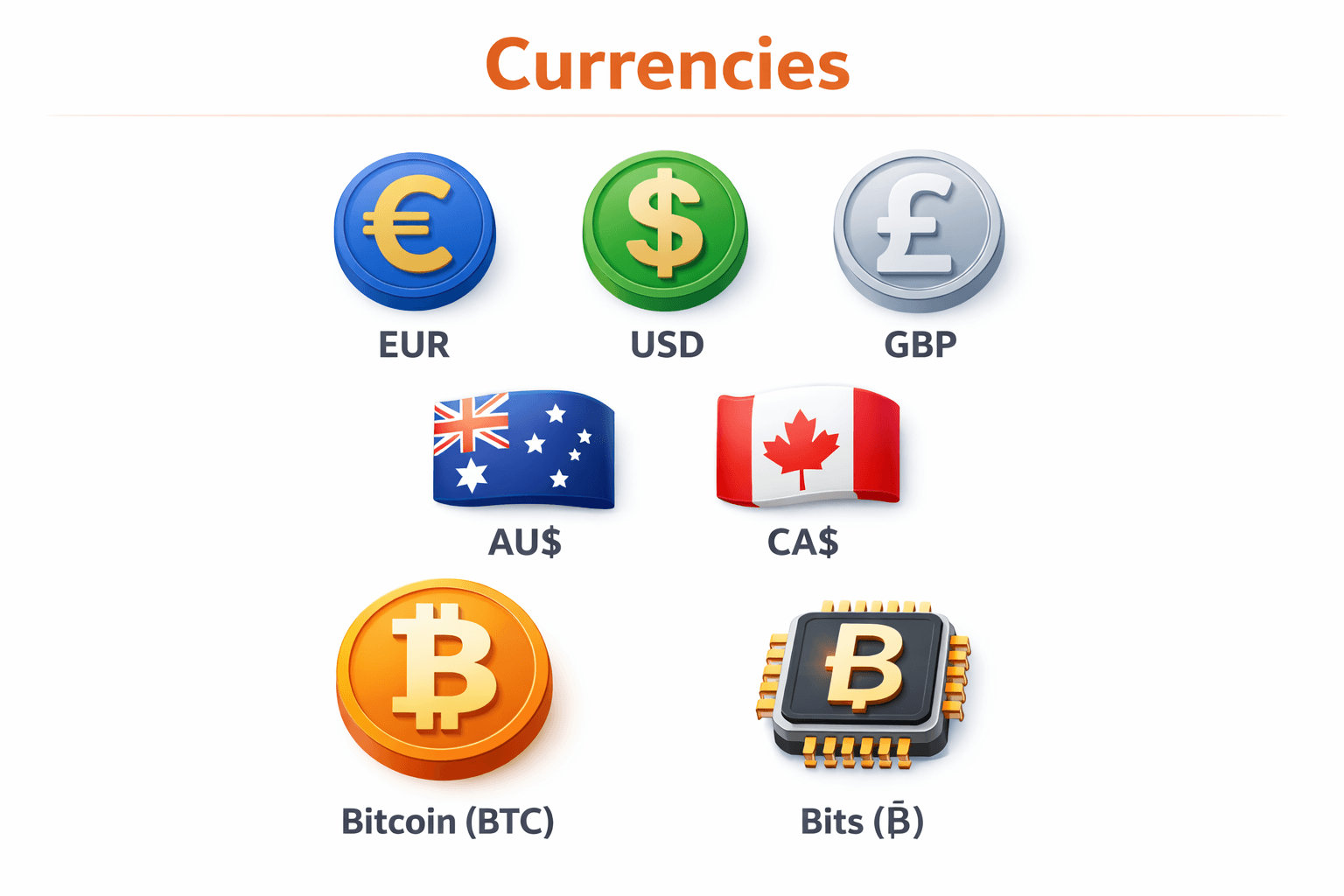
The available currencies on Hugo's Way are:
EUR - Euro (€)
USD - US Dollar (US$)
GBP - Great British Pound (£)
AUD - Australian Dollar (AU$) CAD - Canadian Dollar (CA$)
BTC - Bitcoin (₿)
BITs - Smaller unit of Bitcoin (Ƀ)
If you have deposited funds into your account and the funds have not been credited within the standard timeframe or do not pass the below requirements, please get in touch with our customer support team to assist you further.
Bitcoin or Bitcoin via Instacoins:
Bitcoin or Bitcoin via Instacoins (3rd Party Platform): A bitcoin transaction takes within 1-6 hours to achieve 3-6 confirmations on the Blockchain (www.blockchain.com.)
- Make sure to enter the correct Bitcoin wallet address, which is unique and can only be used once.
- Make sure the funds are in Bitcoin (BTC) and no other cryptocurrency.
- You can check the process on the Blockchain website; kindly make sure you choose Bitcoin (BTC) and not Bitcoin Cash (BCH) whilst searching.
Ethereum, SOL, USDT, USDC & Tokens:
Deposits on ETH (12 confirmations), Solana (12 confirmations), and TRON (19 confirmations) are processed automatically and are usually credited to your account within minutes once the required network confirmations are received
- Select the correct network - Ensure the network matches the token you are depositing (ETH, SOL, USDT, USDC, or other tokens).
- Use the correct wallet address - Only send funds to the deposit address generated for the selected network.
- Minimum deposit - The minimum deposit is $5; deposits below this amount will not be credited.
- Verify before sending - Confirm the token and network match before completing the transaction.
Once a cryptocurrency address has been used and funds have been sent from your wallet, transactions made using Bitcoin or other cryptocurrencies (such as ETH, SOL, USDT, USDC, or other supported tokens) cannot be reversed.
The deposit on your account will simply time out if the money has not yet been transferred; no further action is required.
Note: Codes and Bitcoin addresses in this FAQ are for demo purposes and should not be used. Please use the unique address generated at the time of depositing.To request a deposit using Bitcoin, please follow these steps:
- Click on the "Deposit Funds" tab.
- From the drop-down menu, select “Bitcoin” as your deposit method.
- Choose the wallet and currency where you would like the funds to be deposited.
- Enter the desired amount. (Please note that the minimum amount is $10.)
- Select "Deposit."

You will then be prompted with a page containing all the necessary details for your deposit. Use the provided unique address to complete your deposit transfer.
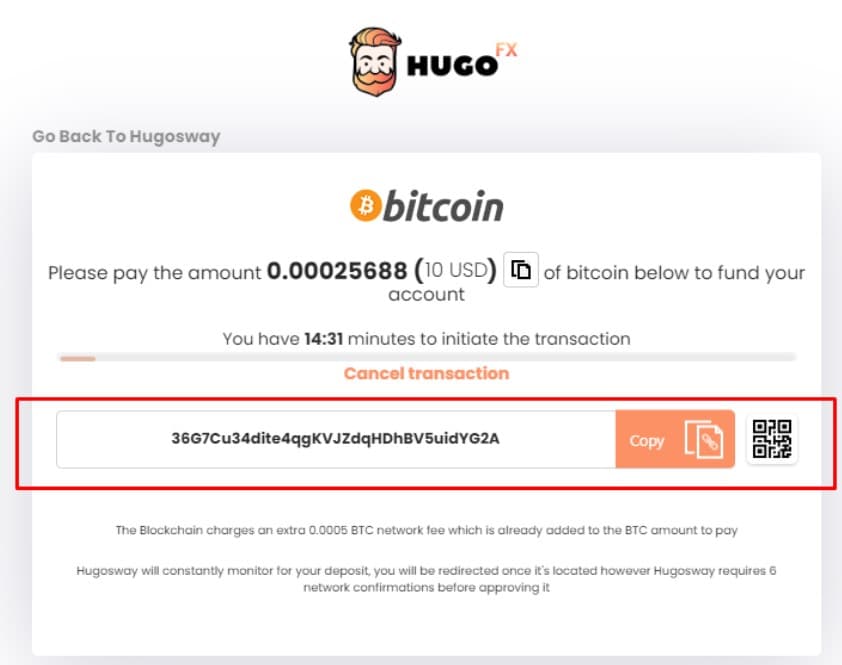
Bitcoin deposits require 3 to 6 confirmations on the Blockchain before you can receive the funds. This process usually takes between 1 to 6 hours.
Additionally, please ensure you track your deposit on the Blockchain by visiting www.blockchain.com and searching for the transaction. While we're always here to assist, we cannot influence the process if a transaction is pending confirmations on the Blockchain.